You can check if the AppKu™ Care™ website is up and running here.
If it is being reported to work fine and is "up for everyone" but refuses to work on your computer/phone/browser — the issue is almost always on your side (local configuration, network, or browser). This is one of the most common "works for everyone but me" scenarios.
Follow these troubleshooting steps in order - most people resolve the issue by step 4–6.
Step 1: Quick First Check
Try in Incognito/Private Mode
This disables extensions, cache, and most cookies - very frequently reveals the culprit. Open a private/incognito window and try the site again.
Here are examples of how incognito/private mode looks in major browsers:
→ If it works in incognito → An extension, cached data, or cookie is most likely the problem. Proceed to disable extensions one-by-one or clear browser data.
Step 2: Flush DNS Cache
Windows (most common fix for this exact problem):
- Press Win + S → type cmd
- Right-click Command Prompt → Run as administrator
- Paste these commands one by one (press Enter after each):
ipconfig /flushdns
ipconfig /release
ipconfig /renew
netsh winsock reset
- Restart your computer
Here's what the command prompt looks like when running these:
Chrome-specific (very useful when other browsers work):
Example of Chrome's DNS clear interface:
macOS:
sudo dscacheutil -flushcache; sudo killall -HUP mDNSResponder
Step 3: Contact Your IT/Network Administrator
Most people discover the website works again after flush DNS + incognito test + different browser.
If none of this helps and you're still the only one affected - we recommend checking with your IT/Network administrator.
Common Error Messages & Quick Clues
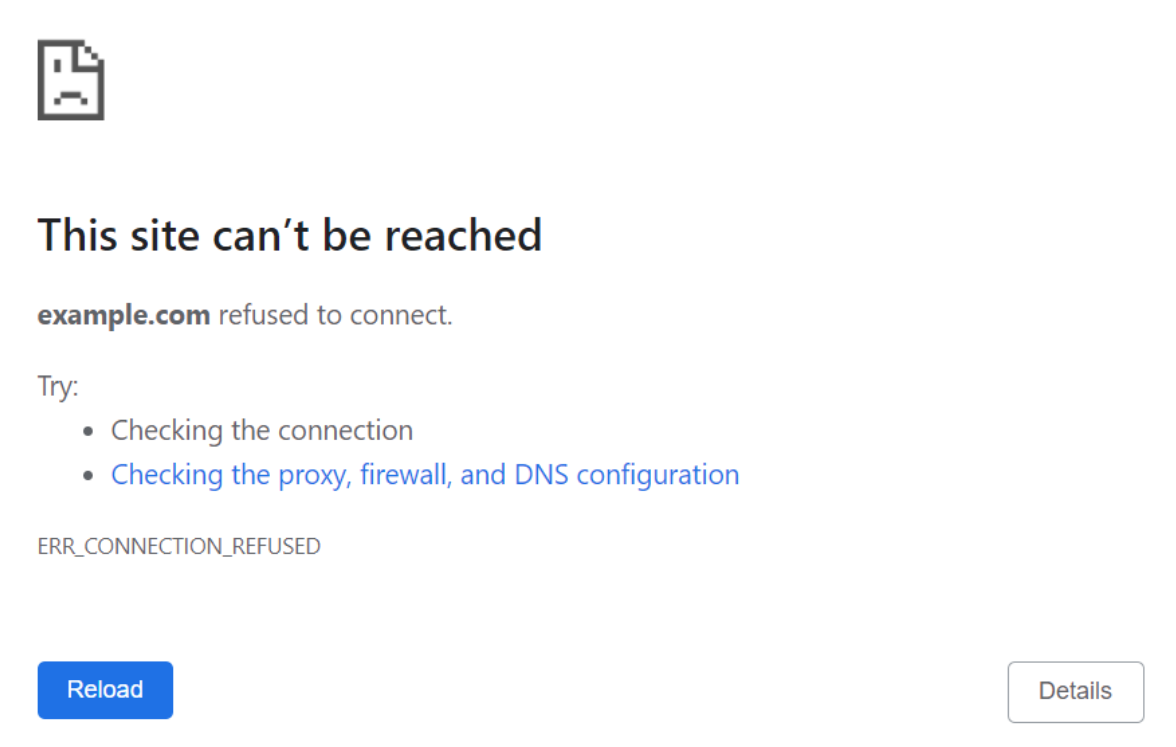
- ERR_CONNECTION_REFUSED / Connection refused
→ Usually antivirus/firewall/VPN or local port conflict
Here’s a typical "ERR_CONNECTION_REFUSED" screen:
- DNS_PROBE_FINISHED_NXDOMAIN / Site can't be reached
→ DNS issue (flush DNS or change DNS servers)
- This site can't be reached + took too long to respond
→ Could be DNS, bad route, or firewall
- Loads on mobile data but not Wi-Fi
→ Your ISP / router / Wi-Fi has the problem (very common with recent domain changes)

